1 min read
Why Facilitator Guides Matter (More Than You Think)
Most organizations are pretty good at creating training. The real struggle is delivering it consistently. You can have solid content, good slides,...

Instructor-led training isn’t going anywhere.
But the expectations around how it’s designed and delivered have changed.
Today’s training teams are under pressure to move faster, deliver consistently, and scale programs across facilitators, locations, and formats. That’s almost impossible without one critical asset:
A well-constructed facilitator guide.
At Great Circle Learning, we often say the facilitator guide is the ruling document of your training program. It’s what turns your learning design into a repeatable, high-quality experience, no matter who is delivering the session.
So what does a facilitator guide need in order to actually do that job?
Let’s look at the components that separate a basic guide from one that drives real results.
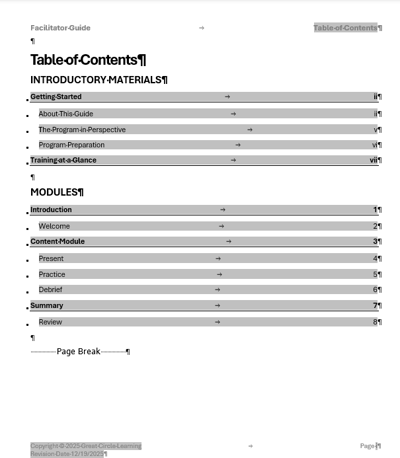
A facilitator guide should never feel like a collection of pages. It should feel like a system.
The table of contents does more than list sections. It gives facilitators a clear view of the course structure and how everything connects. It reflects your learning objectives and establishes a logical flow that supports both preparation and delivery.
When your structure is clear, everything else becomes easier to build, follow, and scale.
If facilitators aren’t prepared, delivery breaks down. Your facilitator guide should include a comprehensive preparation section that answers:
What is this training trying to achieve?
Why does it matter?
How is it structured?
What does the facilitator need to know before delivering?
What materials need to be on hand?
How do I set up the room?
Key elements include About This Guide, Program in Perspective, Program Preparation, and Training at a Glance. This reduces onboarding time, increases confidence, and eliminates variability.

A facilitator guide should be designed so that any facilitator can pick up the book and lead the training.
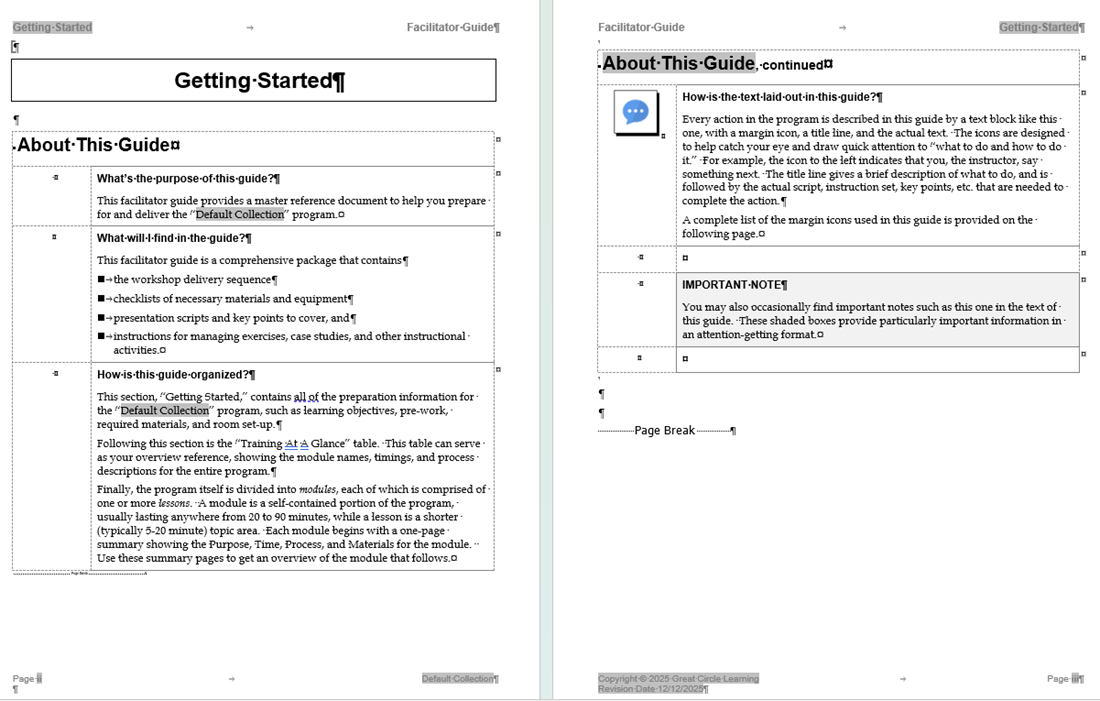
The About this Guide section lays out how the guide is organized and what the facilitator can expect to find in the guidebook.

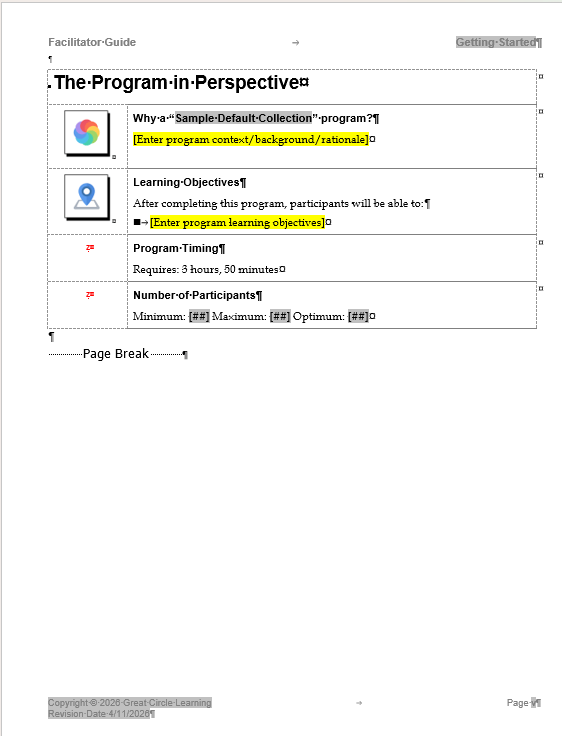
Think of this as the 50,000-foot view of the course. In this section, we are answering these questions:
Why is this course being run?
The “why” is important on so many levels, and it can be different depending on the audience. For the facilitator, explaining why will help ensure buy-in and build support for complete and consistent delivery of the class.
What are the Learning Objectives?
It is important to list the terminal objectives of the training program in the study section of the facilitator guide. The objectives help set everyone’s expectations for the outcome of the training.
What is the Program Timing?
Part of helping the facilitator prepare for delivery is clearly stating the time required to deliver the class. From start to finish, including breaks, list how long it will take to deliver.
How many Participants?
List the minimum, optimum, and maximum number of participants this class can handle. This number will vary from one class to another, depending on the delivery method and activities such as role-plays, case studies, Q&A sessions, and other instructional elements.

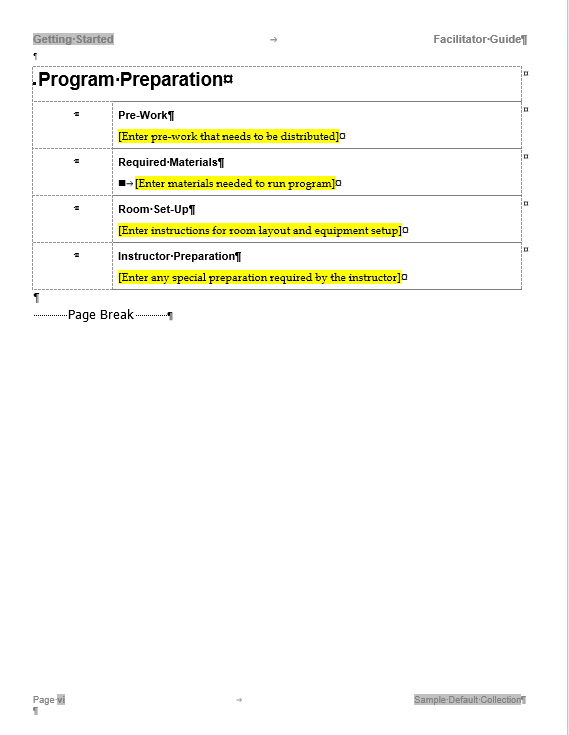
Here we list the nuts and bolts of what the facilitator needs to do to successfully deliver the program. Items to cover include:
Pre-Work
List the reading, activities, and any prior courses participants need to complete prior to attending this training program. Also note who is to distribute and collect/verify the pre-work.
Required Materials
The laundry list of every item needed to lead this training program. We keep this master list to make sure everything is on hand before the program begins.
Room Set-Up/Technical Requirements
Detail how to lay out the physical or virtual classroom to accommodate the activities and teaching methods employed during the training. For virtual training, this may include making sure polls, breakout rooms and pods are loaded correctly.
Instructor Preparation
Describe what the facilitator must accomplish prior to leading the training.

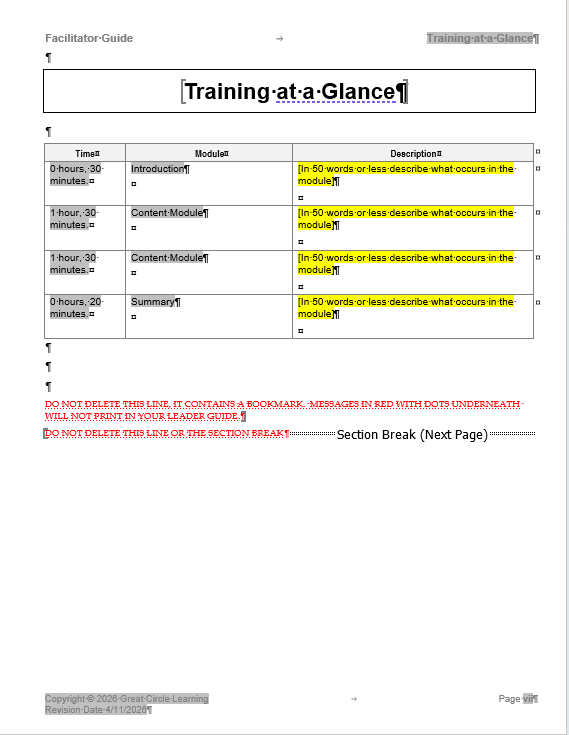
The Training at a Glance is a high-level overview of the course that serves as an advanced organizer for the class delivery framework.
The Training at a Glance should include the name of each key instructional chunk, a.k.a. module, the time needed to complete each module, and a brief description of what the facilitator and participants are to accomplish in each module.
We don’t tie the Training at a Glance to a specific day and time because then it would have to be adjusted each time we run the course. This is where an Agenda comes into play: a more detailed, time-specific outline of the class.
The delivery section is the heart and soul of your facilitator guide. Here we find step-by-step guidance for the class delivery from start to finish. This section includes three key parts: Modules, Lessons, and Content Blocks.

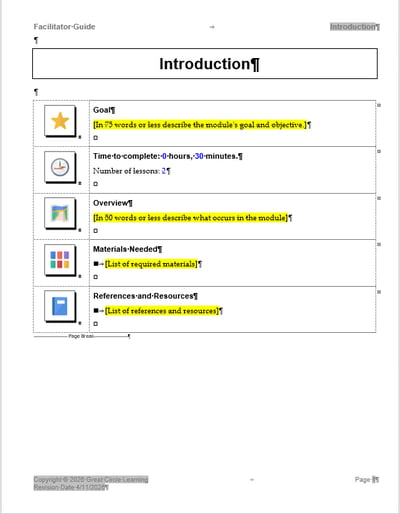
The Module Overview page serves to signal the start of a new content topic, allowing the facilitator to make a clear transition from the previous topic. It also summarizes what the facilitator needs to do, for how long, and with what materials and equipment. Thus, in addition to the name of the module, the Module Overview page should include:
Module Goal: The terminal objective that is being taught during this chunk of the training.
Time Required: How much time is needed to deliver this module.
Module Overview: The teaching process that the facilitator will follow to lead the participants to the goal of the module.
Materials Needed: The list of materials needed to run just this chunk of the training program.
References and Resources: Specific items you want to bring to the facilitator's attention, such as regulations or other sources.

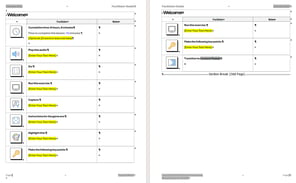
The actual training happens on the lesson pages. This is where the actions the facilitator will lead take place.
Each new Lesson should begin with a goal that states the enabling objective and the time allotted to deliver this portion of the Module.
The Lesson pages should then consist of the content (Say, Do, Ask, etc.) necessary to guide the live delivery of the class.
These actions are broken out into content blocks for delivery.

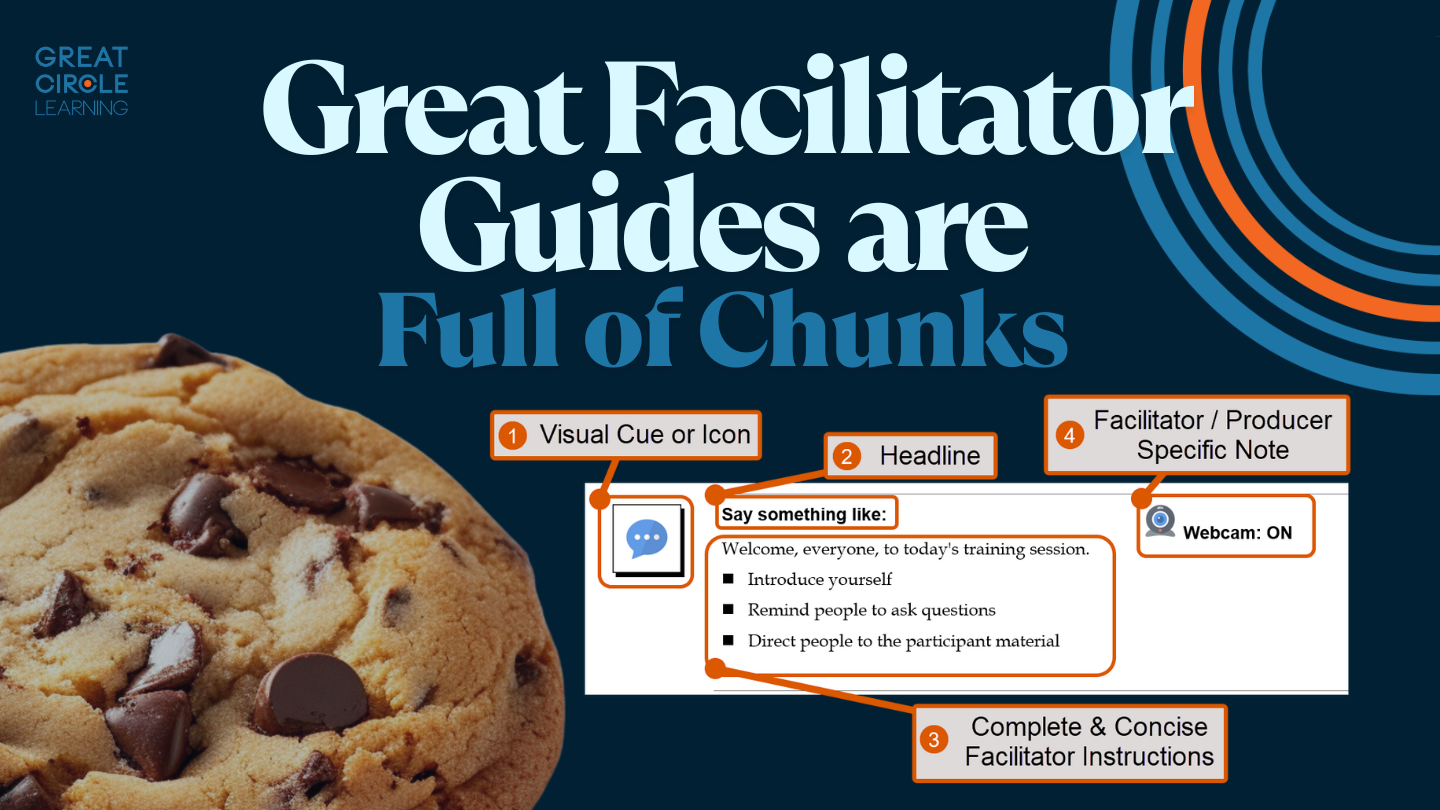
Content Blocks clearly and concisely describe exactly what the facilitator and producer need to do in the moment.
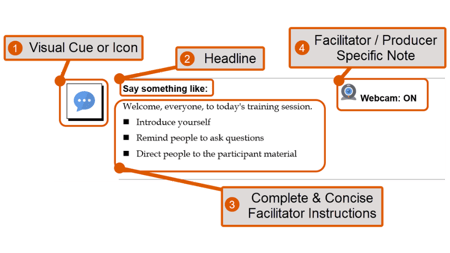
They are made of three specific items and sometimes a fourth.
1. Visual Cue or Icon
By using consistent icons for specific actions, your facilitators will be able to quickly glance at the facilitator guide and know whether they are showing a slide, making a keying point, or running an activity.
2. Headline
The headline section of the content block lets us quickly fine-tune the facilitator's instructions. With a quick glance, the facilitator sees the manner in which they need to deliver the content
3. Facilitator Instructions
The third part of the content block is the actual facilitator instructions for the specific “chunk.” It could be talking points, an activity that is being run, or links to the video that needs to be played. Regardless of the type of instruction that is being led, the material needs to be complete and concise.
4. Facilitator / Producer Specific Instructions
When there are items a facilitator or producer needs to address or pay attention to that don’t need to be brought to the class’s attention, use facilitator / producer-specific notes.
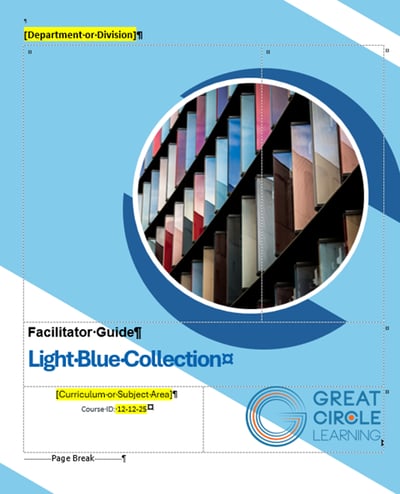
We also need a cover page, an acknowledgments / legal notice page, a visual cue legend, and possibly an appendix - depending on the class. The key components listed above lay the foundation for delivering a course consistently each and every time.

A strong cover page should include the following elements:
Course Title
Display the title prominently so facilitators can instantly recognize the training. The title should clearly reflect the focus and intent of the course.
Curriculum or Subject Area
Identify the larger program, curriculum, or subject area the course belongs to. This provides context and helps position the training within a broader learning pathway.
Course ID
Include a unique course identifier to support version control, tracking, and easy reference across your training catalog. This is especially valuable for large or frequently updated programs.
Branding and Company Logo
Incorporate the company logo along with consistent fonts, colors, and visual design elements. Strong branding reinforces professionalism, builds trust, and ensures the facilitator guide aligns with the rest of your organization’s training materials.

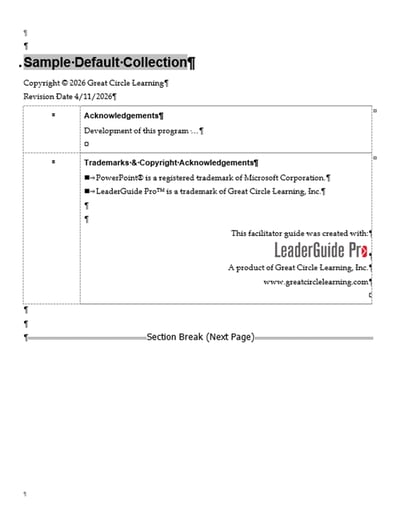
An acknowledgment page in a facilitator guide provides important reference information that supports ownership, accuracy, and proper use of the material. Key elements typically include:
Trademarks and Copyright
Clearly identify ownership of the content, including copyright statements and any registered trademarks. This protects intellectual property and defines how the material can be used, shared, or reproduced.
Revision Date
Include the most recent revision or publication date to help facilitators confirm they are using the latest version. This is critical for maintaining accuracy and consistency across multiple deliveries.
Development of the Program
Acknowledge the individuals or teams responsible for designing and developing the training. This may include instructional designers, subject matter experts, and contributors who played a role in creating the content.
Legal and Compliance Notices
Provide any required legal disclaimers, regulatory statements, or compliance-related information. This ensures the training aligns with organizational policies and any external requirements specific to the subject matter or industry.

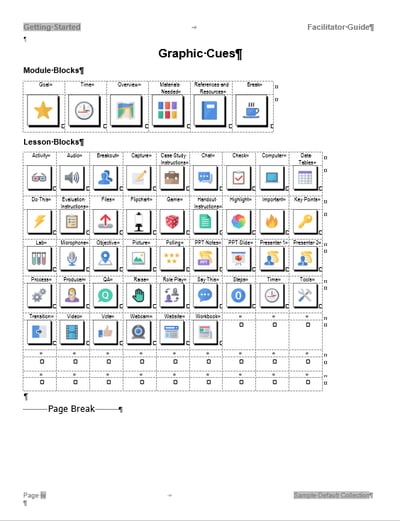
As we use icons and visual cues to guide our facilitators' actions, we want to ensure they understand our visual cue system. Include a cheat sheet listing all possible visual cues the instructor may see.
And, of course, then we must use the cues consistently within the delivery section of the facilitator guide.
We seldom use every visual cue, but consistently displaying all of them in the study section of our facilitator guides helps our instructors become accustomed to seeing them.

An appendix in a facilitator guide serves as a supporting reference section that enhances usability without interrupting the flow of the core content. It provides facilitators with quick access to detailed information, definitions, and supplemental resources they may need before, during, or after a session. A well-organized appendix reduces clutter in the main guide while ensuring important information is still easily accessible.
Key elements often included in a facilitator guide appendix are:
Glossary
Provides clear definitions of key terms, acronyms, and industry-specific language used throughout the training. This ensures facilitators can confidently explain concepts and maintain consistency in terminology.
Index
Offers an alphabetical listing of key topics, concepts, and activities, along with page references. This allows facilitators to quickly locate specific information without flipping through the entire guide.
Additional Resources
Lists supporting materials such as articles, job aids, reference documents, or external links that facilitators can use to deepen their understanding or extend the learning experience.
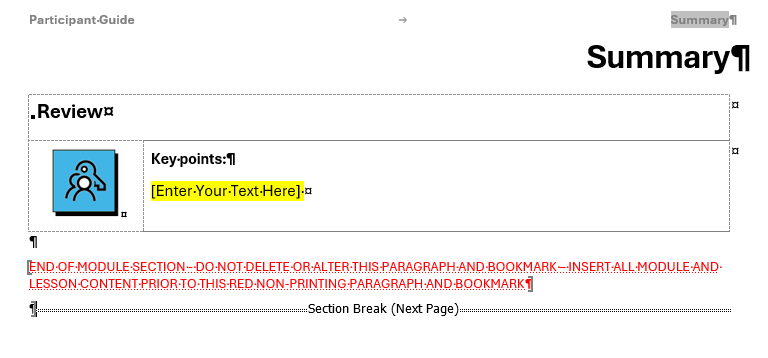
When a facilitator guide is built well, it does more than support delivery. It gives your entire training program structure, consistency, and room to grow. Complete & concise instruction, practical preparation details, delivery-friendly prompts, and consistent visual cues all work together to make the experience easier for facilitators and better for learners.
If you want effective training without losing quality, consistency, and flexibility, your facilitator guide has to do some real work behind the scenes. It should help facilitators get ready faster, stay on track in the moment, and deliver the session with confidence. Build it with intention, and it becomes more than a document. It becomes the backbone that supports your training from one session to the next.
1 min read
Most organizations are pretty good at creating training. The real struggle is delivering it consistently. You can have solid content, good slides,...

1 min read
The best facilitator guide instructions are like chocolate chip cookies: full of chunks.
1 min read
The success of instructor-led training (ILT) hinges on the quality of its delivery. You can have well-designed content, strong learning objectives,...