



1 min read
Beyond the Slide Deck: The Value of a Facilitator Guide in Training
Great training requires more than just PowerPoint Slides. Step into any modern training session, and you’ll likely observe a PowerPoint slide deck...

4 min read
Pat Michaels
:
May 19, 2026
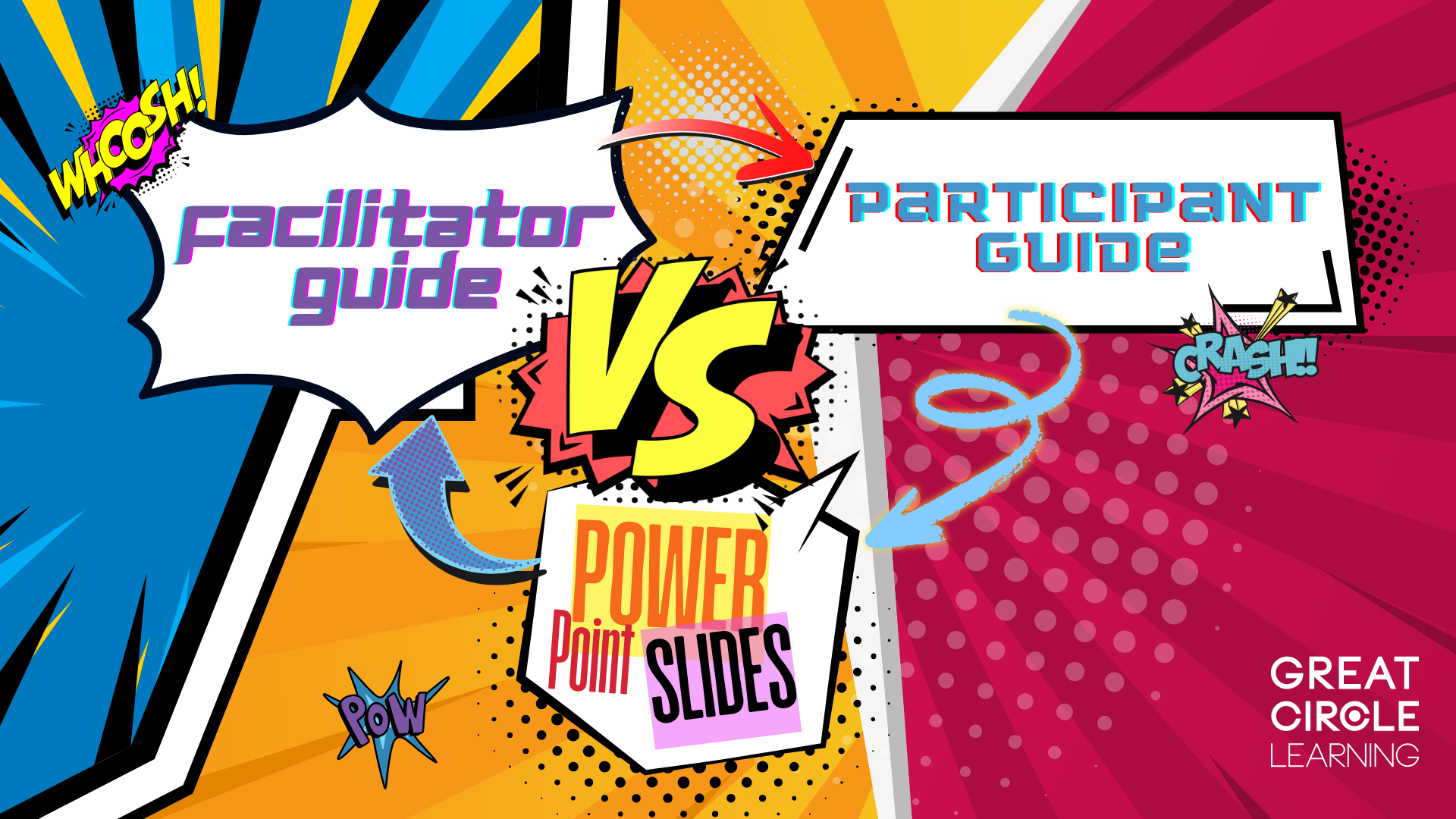
If you have ever heard someone say, “The slides are the training,” you are not alone. In many organizations, facilitator guides, participant guides, and PowerPoint notes all get lumped together as interchangeable training materials. They are not.
Each of these tools serves a very different purpose. Confusing them leads to inconsistent delivery, frustrated facilitators, disengaged participants, and training that works only when the perfect presenter is in the room.
Let’s break down what each one actually does, what it does not do, and why you need all three to create effective instructor-led training.
PowerPoint is usually the most visible artifact in training. Everyone sees the slides, so they are often treated as the source of truth. Over time, extra bullets get added, speaker notes grow longer, and suddenly the deck is expected to guide the facilitator, teach the participant, and document the content all at once.
The result is a single tool that does none of those jobs particularly well.
Good training design separates responsibilities. Facilitators need guidance on how to deliver learning. Participants need support to engage, practice, and apply. Slides need to visually reinforce key ideas. When each tool tries to do all three jobs, the training falls apart.
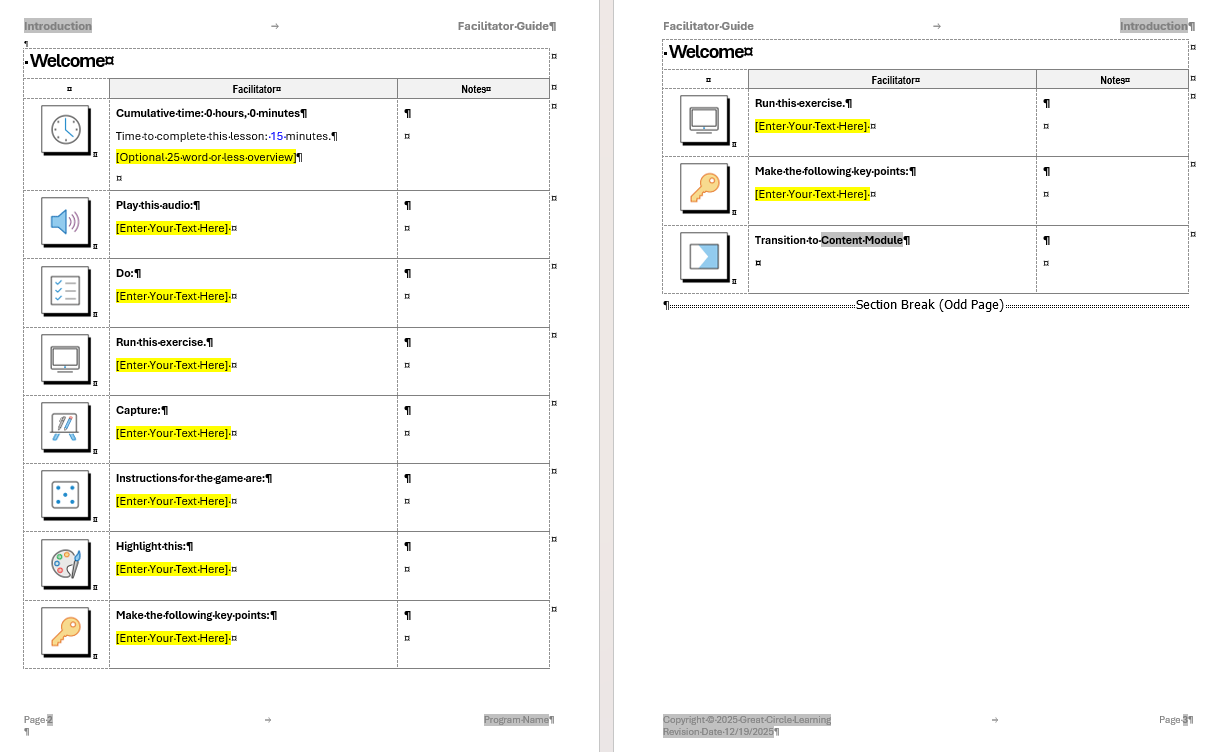
A facilitator guide is an internal delivery tool. Its primary job is to help facilitators deliver a consistent, effective learning experience regardless of who is in front of the room.
A well-designed facilitator guide focuses on how to teach, not just what to say.
A facilitator guide typically contains:
Learning objectives and session flow
Timing and pacing guidance
Step-by-step instructions for activities
Discussion questions and prompts
Transitions between topics
Set up instructions and materials needed
Tips for handling common challenges or questions
This is the document that answers questions like “What do I do next?” and “Why are we doing this activity?” It gives facilitators confidence and helps them focus on the learners instead of worrying about what comes next.
A facilitator guide is not a script that must be read word for word. It is also not a copy of the slides with more bullets added. And it is definitely not meant to be handed to participants.
If a facilitator guide reads like a transcript, it is doing too much. If it looks like a slide deck, it is missing the point.
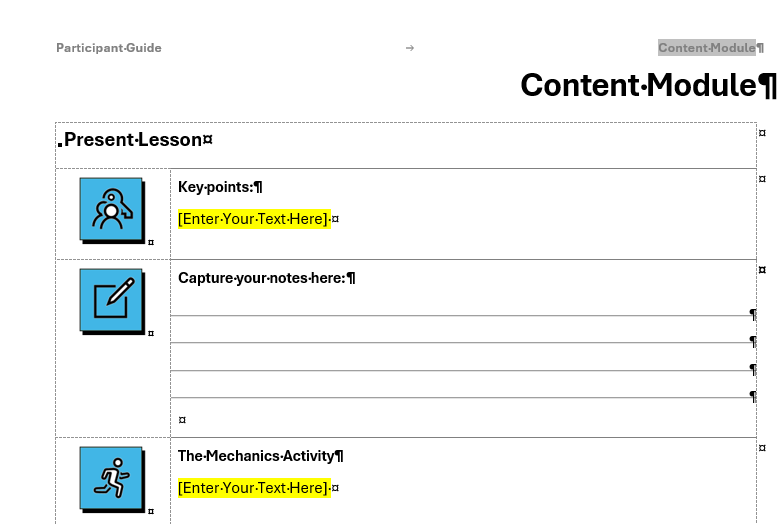
A participant guide is a learner-facing tool. Its purpose is to support engagement during the session and application after the session.
Think of the participant guide as the learner’s companion, not a record of everything that happened.
Strong participant guides usually include:
Clear explanations of key concepts
Diagrams or models used during the session
Space for notes and reflections
Individual or group exercises
Job aids and reference material
Action planning and next steps
The participant guide helps learners stay engaged during the session without encouraging them to tune out and read ahead. It also becomes a useful resource once the training is over.
A participant guide should not be a printed copy of the slides. It should not include facilitator notes or timing cues. And it should not try to capture everything the facilitator says.
If participants stop listening because “it’s all in the book,” the guide is working against you.
PowerPoint slides and their notes serve a much narrower role. They are presentation support tools, not training plans. Slides exist to create visual structure and reinforce key ideas. Notes exist to help the presenter remember what to emphasize.
PowerPoint slides should be used for:
Visual Aids to support the material
PowerPoint notes can be useful for:
Capturing edits that need to happen in the deck
Supporting visuals, charts, or diagrams
When used this way, slides make training clearer and more engaging.
What slides cannot do is guide facilitation, manage activities, or adapt to learner needs. They do not explain why an activity matters or how to respond when a discussion goes off track.
Trying to turn slides into a facilitator guide usually results in overcrowded visuals, overwhelmed presenters, and crappy training sessions.
Here is the easiest way to think about it:
Facilitator guide answers “How do I teach this?”
Participant guide answers “How do I learn and apply this?”
PowerPoint answers “What should learners see right now?”
Facilitator guides, participant guides and PowerPoint slides may overlap in content but not in purpose.
Cred photo booth listicle chambray, humblebrag taiyaki actually jianbing whatever kitsch. Pabst chia retro, heirloom tilde coloring book neutra sartorial venmo.
![]()
I'm baby pabst flexitarian mustache hammock, keffiyeh cold-pressed schlitz succulents bespoke lomo snackwave tote bag 3 wolf moon gochujang mixtape. Ugh hashtag mlkshk cold-pressed, live-edge williamsburg irony truffaut mustache pug. Cred forage disrupt, wayfarers lo-fi direct trade trust fund YOLO truffaut pork belly banjo selfies enamel pin hell of umami. XOXO marfa locavore synth franzen ethical salvia copper mug unicorn kogi letterpress. Taiyaki chambray tilde, lo-fi jean shorts fashion axe deep v authentic intelligentsia copper mug. Hoodie cloud bread banjo pork belly lyft.
These mistakes show up again and again across most training departments:
Using slides as the facilitator guide
Sharing facilitator notes with participants
Expecting PowerPoint to enforce instructional quality
Copying the same content into all three tools
When everything looks the same, facilitators have no guidance, participants are overloaded, and training success depends entirely on the presenter’s personal skill.
Great instructor-led training treats these materials as a system.
The facilitator guide provides the roadmap and teaching strategy.
The participant guide supports engagement and long-term application.
The slides reinforce key ideas visually and keep the session focused.
When these tools are aligned, training becomes easier to deliver, easier to scale, and far more effective. Facilitators feel confident. Participants stay engaged. And learning outcomes become more consistent.
If you take nothing else away from this, remember this simple idea: slides are not training. They are just one piece of the puzzle.
When you design facilitator guides, participant guides, and PowerPoint decks intentionally, each one does what it is best at. When you ask one tool to do everything, it usually fails at most of it.
Effective training is not about having more content. It is about giving the right people the right support at the right time.
1 min read
Great training requires more than just PowerPoint Slides. Step into any modern training session, and you’ll likely observe a PowerPoint slide deck...
1 min read
Most organizations are pretty good at creating training. The real struggle is delivering it consistently. You can have solid content, good slides,...
1 min read
The best facilitator guide instructions are like chocolate chip cookies: full of chunks.