


Preparation
Work Flow
What to be prepared for as you use the Learning Design Tool
Instructional Design Automated
The Learning Design Tool automates these instructional design work tasks:
-
Set-up of a new design document that is consistently structured
-
Import of Content Analysis information from existing source documents
-
Import of SME and ISD bios from existing source documents
-
Creation of learning objectives consistent with Bloom's taxonomy
-
Addition of learner achievement activities mapped to the leaning objectives
-
Set-up of a module and lesson course structure based on the learning objectives
-
Addition of instructional activities
-
Updating of all fields in the document, including the Table of Contents
-
Formatting of text, bullet lists, number lists
-
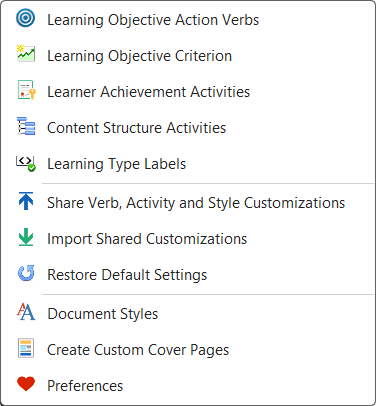
Customizing of the following items, as well as the ability to share your customizations, import shared customizations, and restore the LDT default settings
The work flow you will follow consists of 5 main steps
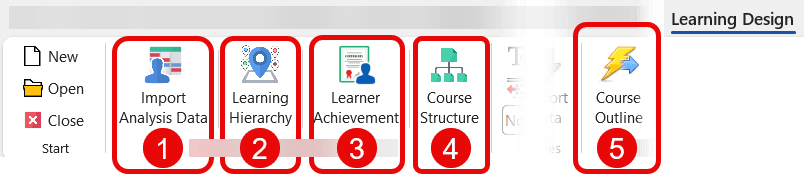
Step One
|
Import Analysis Data Based on the assumption that your Analysis phase of work is complete, this function:
|

Step Two
|
Learning Hierarchy Assists you in writing:
|

Step Three
|
Learner Achievement For each learning objective, this function assists you in:
Also provided is a placeholder to capture:
|

Step Four
|
Course Structure
|

Step Five
|
Course Outline Extracts your detailed Course Outline:
Extracts directly into:
|

hhhhh