


Software Management
How to Deactivate Learning Design Tool
Simple Steps to Free Up a Seat on Your License Key
Deactivation
License Key
Open Microsoft Word to Access Learning Design Tool.
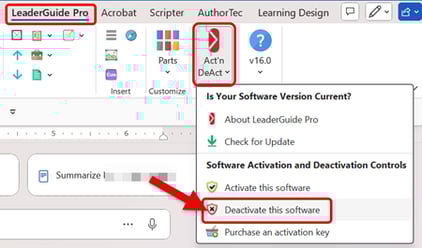
- Click on Learning Design Tool on the Word ribbon
- Click on Act'n DeAct on the Learning Design Tool tab
- Select Deactivate this software from the drop-down menu
This will launch the Great Circle Learning License Wizard.

- Click the Deactivate your license button

- Click the Deactivate License Key button
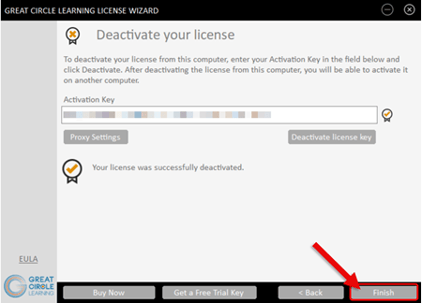
- Click the Finish button