
Skip to the main content.
Column Headline
Column Headline
LeaderGuide Pro
Learning Design Tool
Column Headline

Get to Know Your New Design Document

Your new Learning Design document contains eight pages

Take a moment to understand what you have as a starting point after creating a new Learning Design document.

 
Your new Learning Design document contains these eight pages:
  1. Cover page

  2. Acknowledgements page

  3. Table of Contents

  4. Intentional Blank page

  5. Content Analysis page

  6. Instructional Analysis page

  7. Instructional Strategies page

  8. Course Structure and Sequencing page


We are displaying these pages with Word's formatting marks showing.

Word's formatting marks are non-printing characters that indicate all of the formatting elements in play on a page including:

  • Spaces
  • Paragraphs
  • End of table cell
  • End of table row
  • Page break
  • Section break


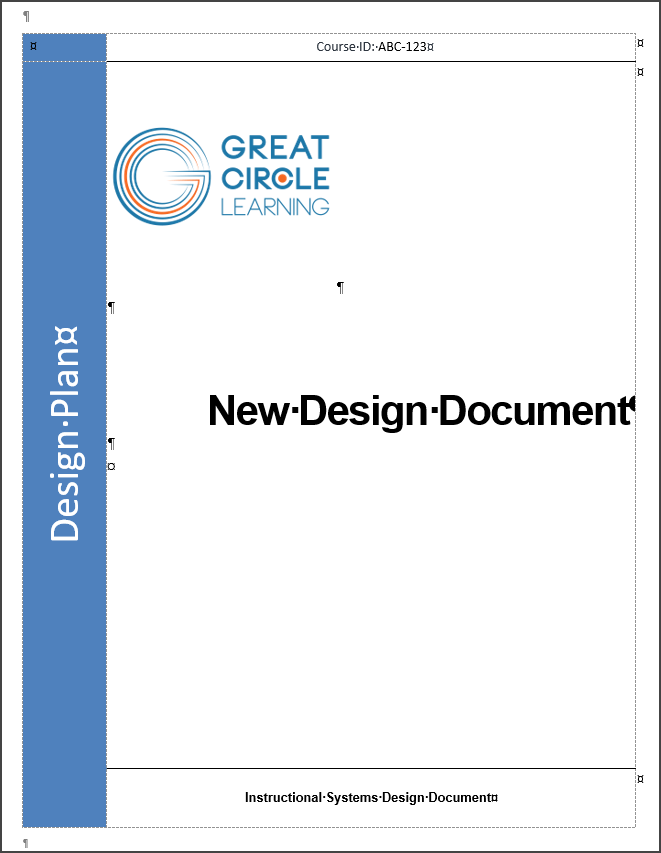
Cover page

The Cover page contains:

  • Course ID placeholder

  • Logo placeholder

  • Title placeholder

    • Edit the phrase "New Design Document" with the title of your design document

    • Your new Title will update in the page headers  

  • Document Identifier: "Instructional Systems Design Document"

  • And anything else you may add to a custom cover page

Cover page - new Learning Design document


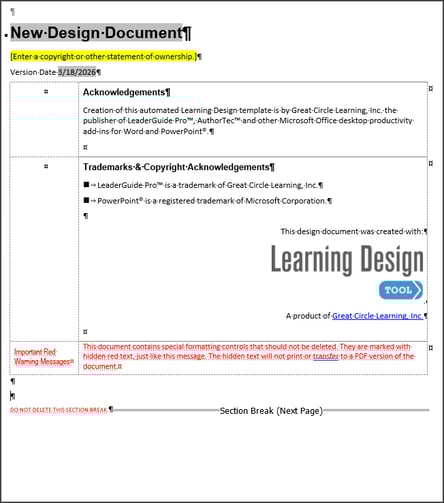
Acknowledgements page

Do not delete this page. It contains:

  • A field that carries over your Cover page title

    • When you edit the document title on the Cover page, the title updates in this field automatically

  • Copyright placeholder

    • Type in your information

  • Version Date

    • In a field that repeats in the even-numbered page headers

    • Edit the date on this page and it will update in the page headers

  • Table with three rows

    • You can edit the information in rows 1 and 2

    • Do not delete or type in row 3

  • Non-printing RED Text

    • Do not delete or alter this non-printing text

  • Section Break

    • Do not delete this section break

Acknowledgements page - new Learning Design document


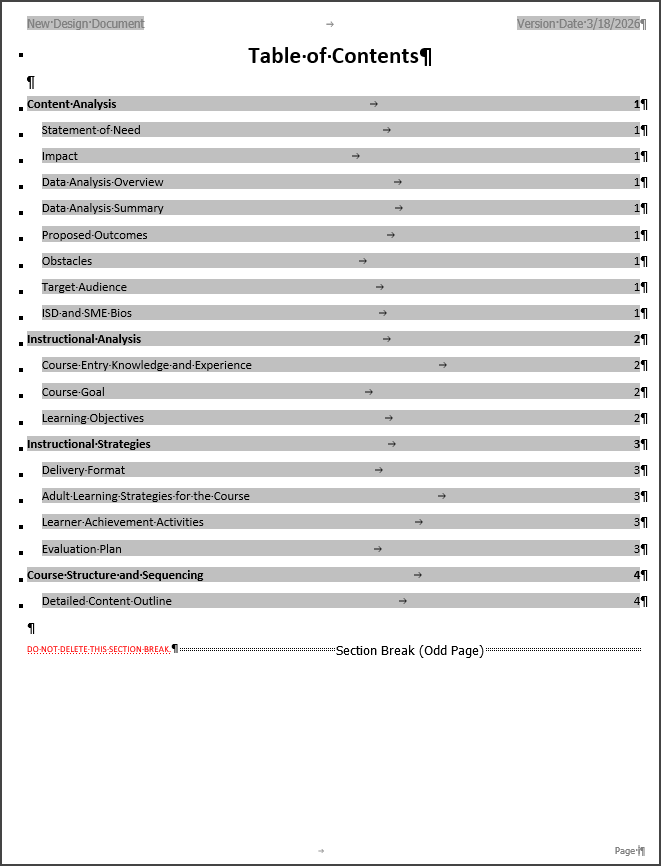
Table of Contents

Do not alter or type on the Table of Contents page. 

The Table of Contents displays:

  • Topics

    • Subtopics   

  • Page numbers that link to the pages

To edit the Topics and Subtopics on this page:

  1. Edit the heading text on the actual pages

  2. Click Update All Fields on the Learning Design Tool ribbon

This page ends with a Section Break and non-printing red text

  •  Do not delete the Section Break or the red text 


Table of Contents page - new Learning Design document


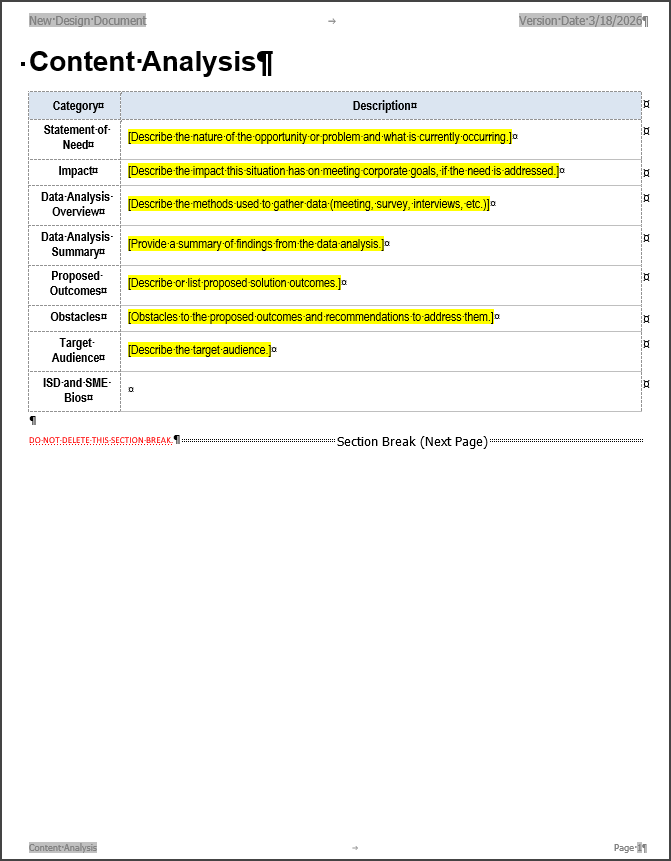
Content Analysis page

The Content Analysis page is set up as a table to hold information from your Needs Analysis, including:

  • Statement of Need

  • Impact

  • Data Analysis Overview 

  • Proposed Outcomes

  • Obstacles

  • Target Audience

  • ISD and SME Bios

 This page ends with a Section Break and non-printing red text

  •  Do not delete the Section Break or the red text 

Content Analysis page - new Learning Design document


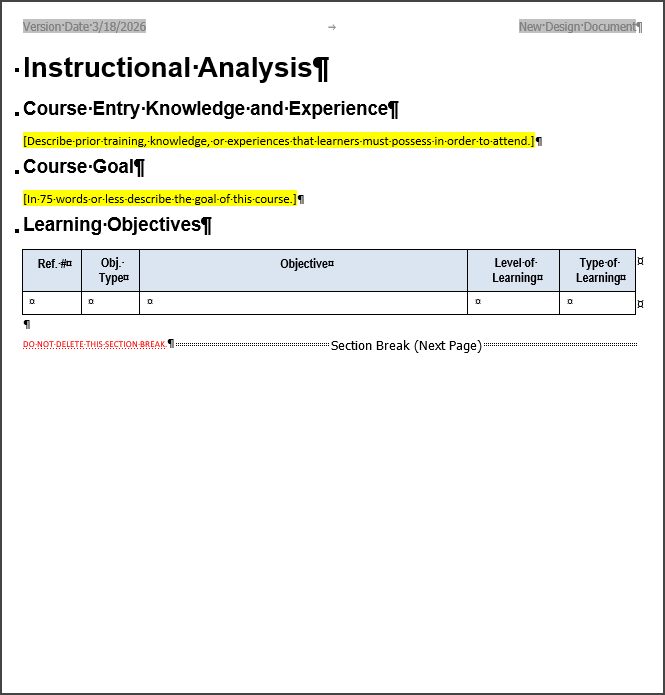
Instructional Analysis page

 The Instructional Analysis page guides you through adding the following: 

  • Course Entry Knowledge and Experience

    • Placeholder for you to type in Course Entry requirements

  • Course Goal

    • Placeholder for you to type in the Course Goal

  • Learning Objectives

    • Placeholder table for Learning Objectives data

    • Click Learning Hierarchy on the Learning Design Tool ribbon to automate the crafting of your learning objectives and the

      • Objective type

      • Level of  Learning

      • Type of Learning

  • Non-printing red text and Section break

    • Do not delete

Instructional Analysis page - new Learning Design document


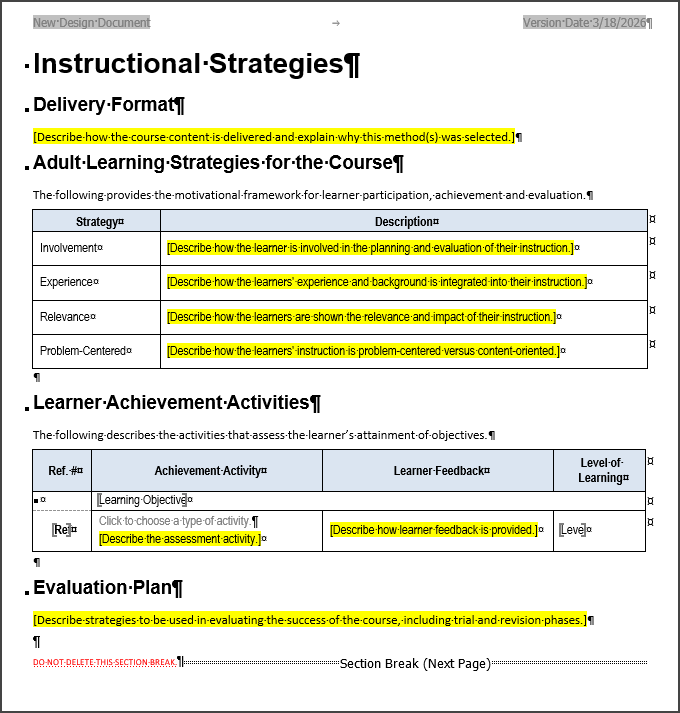
Instructional Strategies page

The Instructional Strategies page guides you through adding the following:

  • Delivery Format

    • Placeholder for you to type delivery format information

  • Adult Learning Strategies for the Course

    • Adult Learning Strategies data table

    • Placeholder with a cognitive prompt - for you to type data

  • Learner Achievement Activities

    • Learner Achievement Activities table

    • Click Learner Achievement on the Learning Design Tool ribbon to add content to this table

  • Evaluation Plan

    • Placeholder for you to type in the evaluation plan

  • Non-printing red text and Section break

    • Do not delete

Instructional Strategies page - new Learning Design document


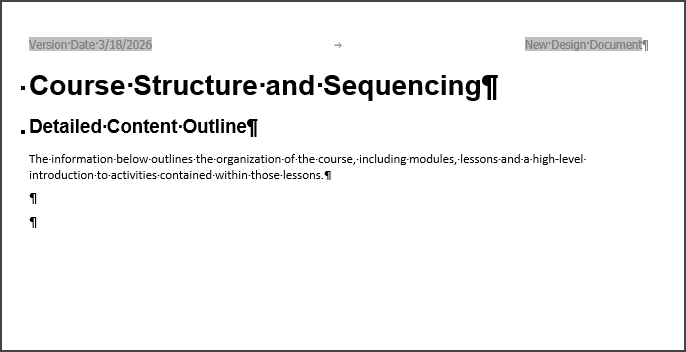
Course Structure and Sequencing page

The Course Structure and Sequencing page:

  • This page is placeholder for your Detailed Course Outline

  • Click Course Outline on the Learning Design Tool ribbon to generate your outline


Course Structure and Sequencing page - new Learning Design document