


Free Trial
Opening a Free Trial Document
Find out how to open LeaderGuide Pro trial documents locked to your device and ensure they load properly during the trial period.
Overview
When using the LeaderGuide Pro free trial, any documents you create are designated as "evaluation only" and are secured to open exclusively on the computer where they were originally created. This restriction ensures document integrity during the trial period and introduces a specific procedure for accessing these files.
Step-by-Step Instructions
-
Open Microsoft Word on the computer where the document was created.
-
Navigate to the LeaderGuide Pro tab in the Word interface.

-
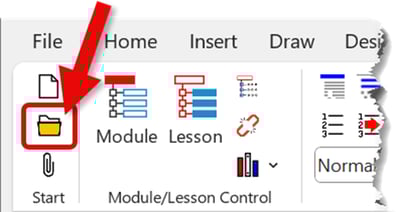
In the Start section of the LeaderGuide Pro tab, click Open.
-
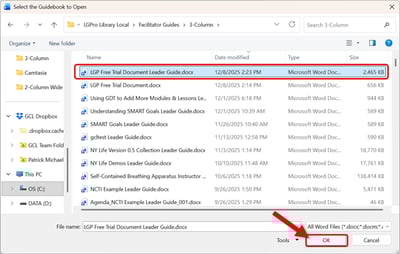
Locate the desired file in the file browser and click Open to access your document.
Important Reminder
|
Learn About
-
How to Share a LeaderGuide Pro Free Trial Document