


Software Management
How to Uninstall LeaderGuide Pro
Learn the steps to safely and fully uninstall LeaderGuide Pro.
Uninstall
1. Make sure Microsoft Word is closed.
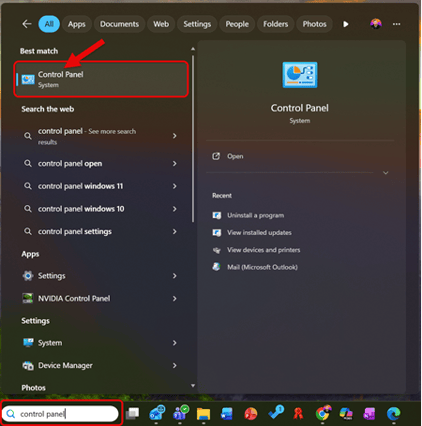
2. Open Windows Control Panel
-
Type Control Panel in the search box on the Windows Taskbar
-
Select Control Panel from the search results
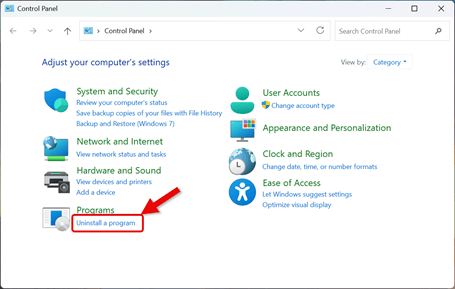
3. This Opens the Control Panel Dialog Box
-
Select Uninstall a Program from the Programs section
-
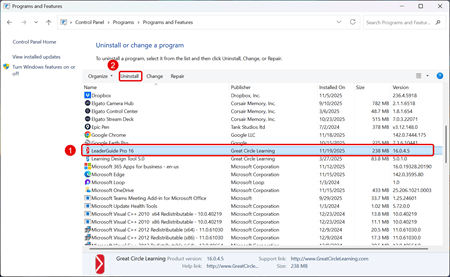
Scroll through the list to find and select LeaderGuide Pro
-
Click Uninstall at the top of the list (or right-click the program and choose Uninstall)
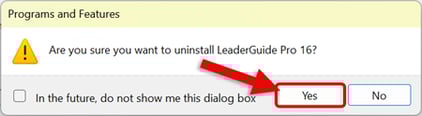
- Click Yes to confirm the uninstall of LeaderGuide Pro
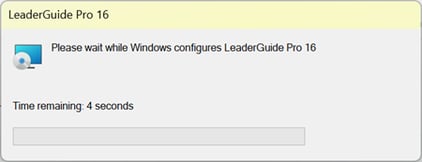
4. LeaderGuide Pro Uninstalls from the Computer
-
When finished, close the control panel window.