
Overview
LeaderGuide Pro is a powerful, multifaceted software tool that runs within Word and interacts robustly with PowerPoint to create consistent, professionally formatted Facilitator Guides and Participant Guides to support Instructor-Led Training (ILT).
LeaderGuide Pro is the only software tool specifically designed to build Instructor-led Training.
Developed by training industry professionals, LeaderGuide Pro addresses the unique challenges typically faced by instructional designers and training program developers when creating Instructor-led Training, including:
- Multiple contributors, all using different styles of writing, organizing and laying out content
- Varying levels of expertise working in Word and PowerPoint, which are typically the base programs used to create this type of training
- Difficulty editing, revising, maintaining and reusing existing materials
- Lack of consistent standards regarding document structure, organization, layout, voice, graphics
- Unrealistic development timeframes and budget
What LeaderGuide Pro Does to Address these Challenges
⭐ Creates two types of instructional guidebooks:
- Facilitator Guide - to serve instructors as a study guide and a delivery roadmap with clear, concise and complete information and directions
- Participant Guide - to support learners with key points, instructional exercises and capture space for notes
Why Two Guidebooks?
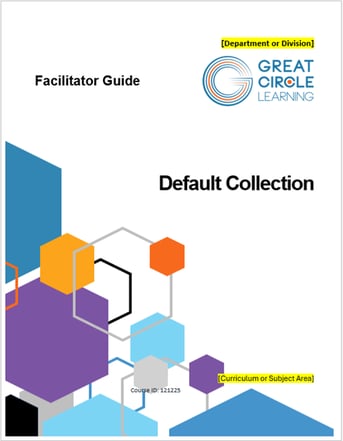
Facilitator GuideThe master resource containing everything required to |
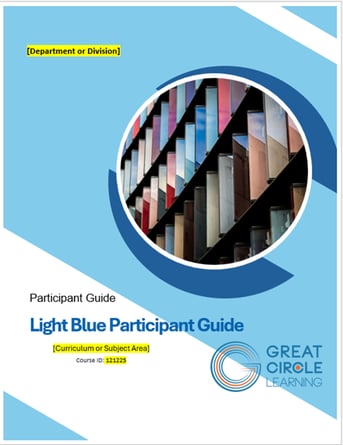
Participant Guide
|
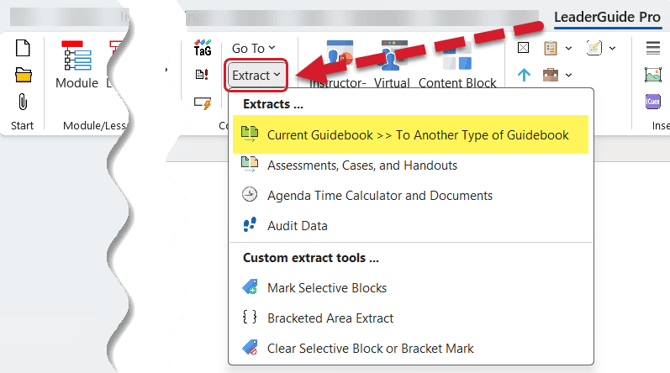
⭐ Extracts new guidebooks from existing guidebooks
Extract a Participant Guide from a Facilitator Guide
Extract a Facilitator Guide from a Participant Guide
✔️ How this helps
- Do the bulk of your work once, in your master document (Facilitator Guide)
- Enable the ability to sync content changes from one guidebook to another
- Enable the ability to sync Participant Guide page number references into the Facilitator Guide
- Ensure consistency
⭐ Creates Reusable Parts
Create Content Parts (Modules and Lessons)
Archive Modules and Lessons from existing Guidebooks
Extract Case Studies
Extract Handouts
Extract Assessments
Attach a new Collection to apply a different look and feel to an existing Guidebook
✔️ How this helps
- Parts are already structured and formatted consistently
- Parts are easily reformatted by attaching a different Collection
⭐ Automatically Formats and Adjusts as You add Content
Build consistently structured Facilitator Guides and Participant Guides
Apply a professionally formatted Style guide
Access and insert a consistent set of instructional cue icons
Consistently chunk content
Build Assessments, Case Studies and Handouts
Consistently import, anchor, label and size graphics
Build and update a Table of Contents
✔️ How this helps
- Focus on content while LeaderGuide Pro handles formatting and page layouts
- Easily navigate to key sections in your guidebook via the Table of Contents (and other navigation features)
- Work 50% faster because you don't have to perform many key work tasks manually
⭐ Applies Your Styles and Branding
Logo
Colors
Fonts
Formatting
Icons
Graphics
Legal Notices
Default Text
✔️ How this helps
- Leverage the LeaderGuide Pro smart templates to create your own unique, professional, and consistent training materials
⭐ Interacts Robustly with PowerPoint
Imports PowerPoint slides
Imports PowerPoint notes
Imports PowerPoint slide text
Replaces PowerPoint slides
Creates PowerPoint slides from within a guidebook
✔️ How this helps
- Saves time - no more copying and pasting
- Ensures consistency
Learn More
About the LeaderGuide Pro Guidebooks
Facilitator Guide Walk-Through
Participant Guide Walk-Through
About Content Parts
About Content Blocks
About PowerPoint and LeaderGuide Pro