


Software Management
How to Download & Install AuthorTec
A Quick Guide to Download & Install AuthorTec
Install
License Key
| NOTE: AuthorTec must be installed on your computer. It is not cloud-based. |
1. Getting Started
- Make sure Microsoft Word is closed on your system
- Download AuthorTec to your computer by completing the form
- Choose 64-bit or 32-bit download
- Click here to tell which version you need
- Go to your Downloads folder and look for either:
- AuthorTec_5x64Installer
- AuthorTec_5x32Installer
- Click on the install file to add AuthorTec to your computer
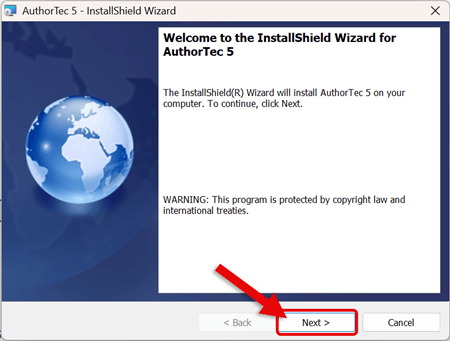
2. Follow the Prompts on the Installation Wizard.
- Click Next to start the installation process
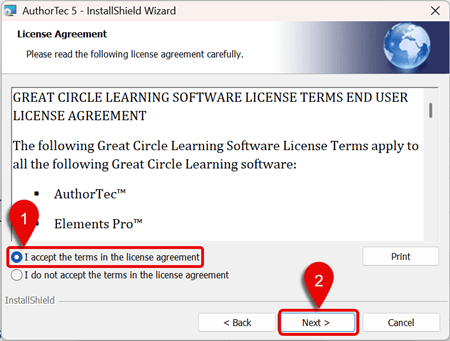
- Read and Accept the Terms of the End User License Agreement (EULA)
- Click Next
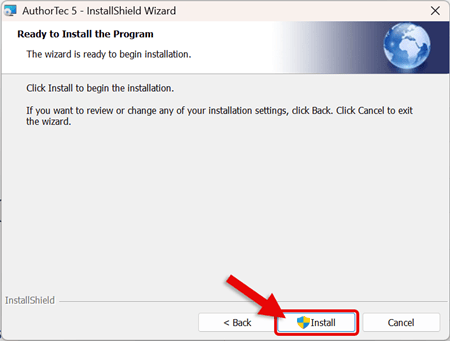
- Click Install
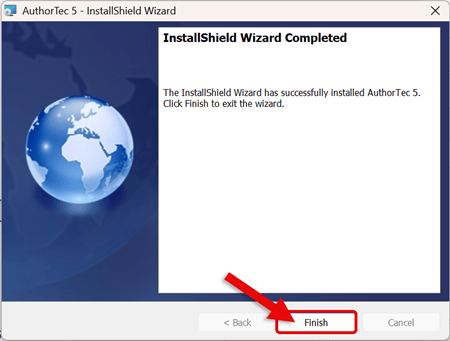
- Click Finish to close out the Installation Wizard
3. Open Microsoft Word
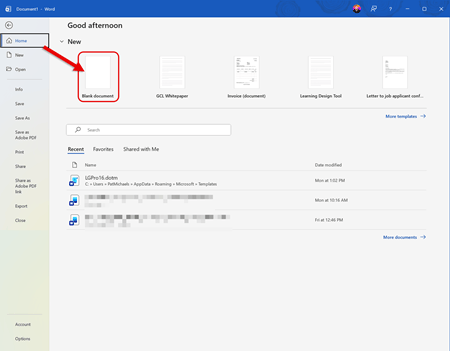
- Go to the Home Tab and select Blank Document
-
On the Word Ribbon, AuthorTec will now appear
-
AuthorTec is now installed on your computer.

Next Steps
Learn About
|
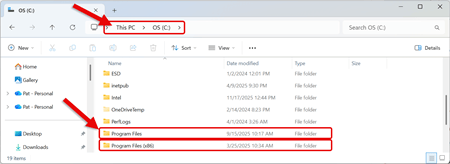
How to tell if I need the 64-bit or 32-bit install file:
 |